It finds the detail, even when the words don’t match
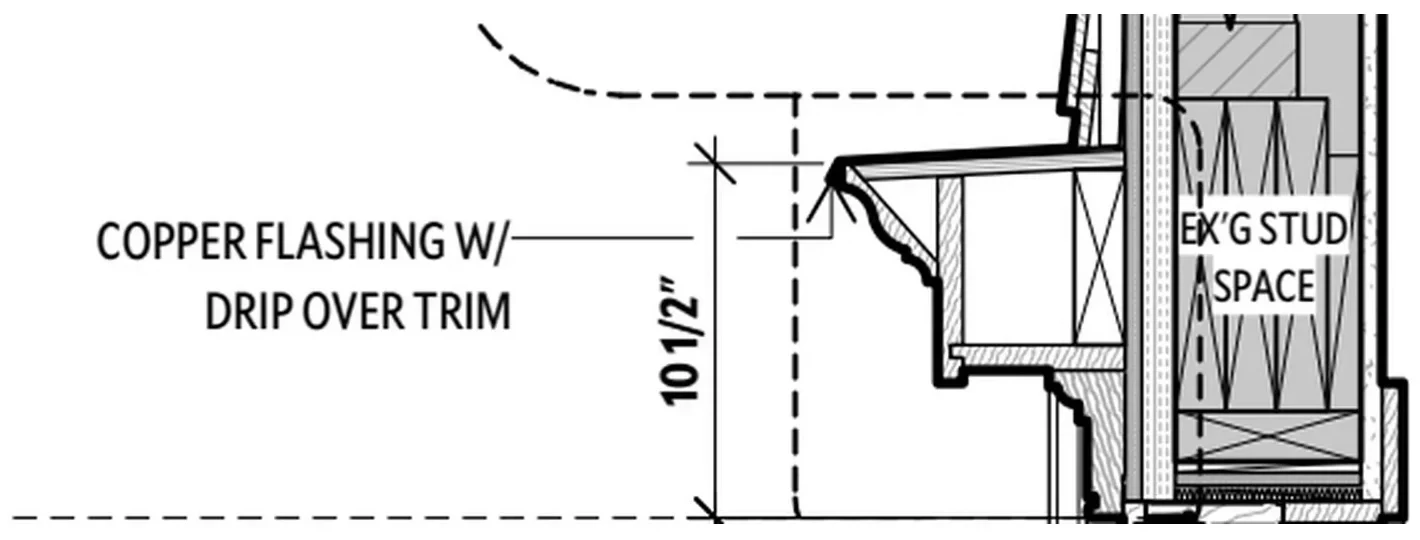
You search for “copper flashing above a window”. The drawing says “copper flashing w/ drip over trim”. Drawing Search still finds the sheet and shows you the match.

AI search for architecture and engineering firms. Describe the detail you need and Drawing Search finds it in your past construction drawings, even when the wording differs, then opens the original sheet.
Where have we used copper flashing at a window sill?
Answer from your drawings
Project 24-118, sheet A-501 shows copper flashing at the front window in two places:
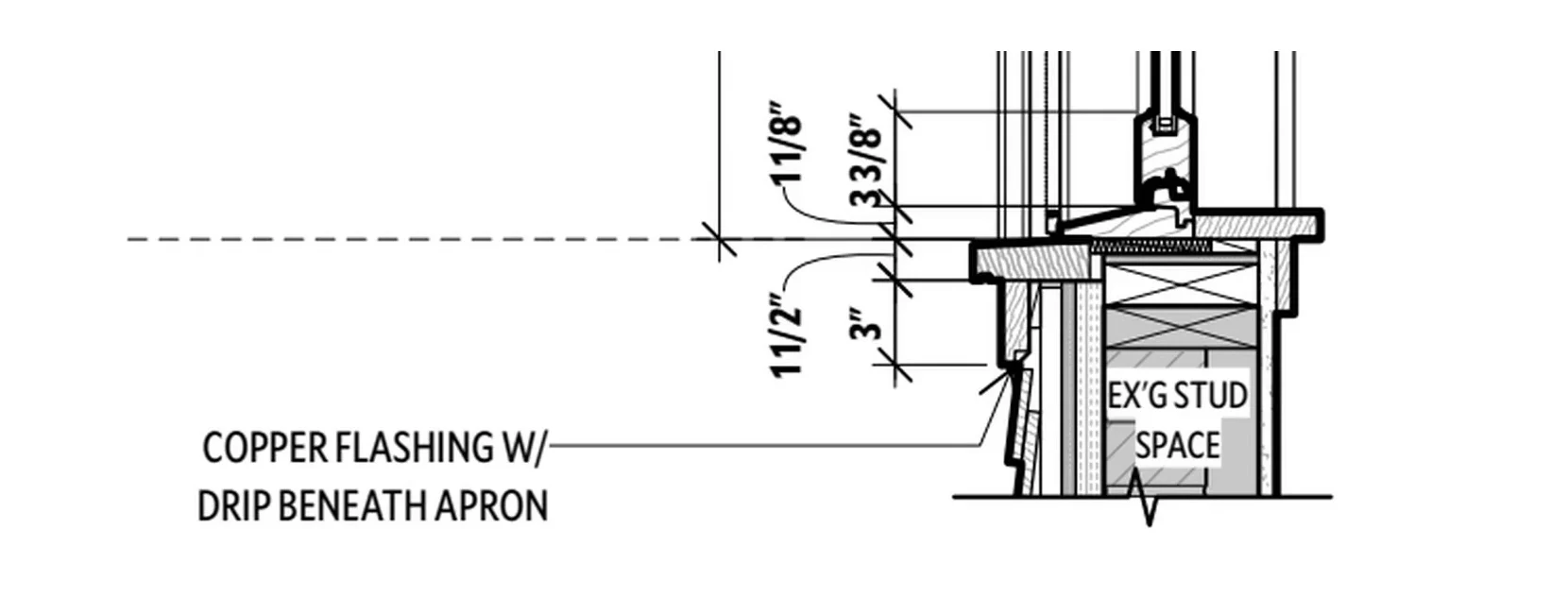
Open PDF in a new tab
A small app on your server keeps the library up to date on its own. Nobody has to remember to upload anything.

Folder Watcher v0.1.1
Keep your drawing library in sync
Files indexed
266
Available in Drawing Search
Pending / queued
1
Waiting to be processed
Watcher process
Running
0 processing · 1 waiting
Folders
2
Including subfolders
You search for “copper flashing above a window”. The drawing says “copper flashing w/ drip over trim”. Drawing Search still finds the sheet and shows you the match.
Discover writes a short answer from the pages it found, with numbered citations. Click one to open the original sheet beside the answer.
Office-standards questions need your standards, checklists and procedures added to the library. Your team can add them, or we set them up for a fixed price.
They’re great for a handful of documents. A drawing archive is thousands of sheets that keep changing and that the whole team shares. Keeping that searchable is the job Drawing Search does for you.
| Task | Uploading files to a chat | Drawing Search |
|---|---|---|
| New and revised drawings | You upload them | Added automatically |
| Duplicates | You tidy them up | Detected and flagged |
| Who can search | Whoever has the chat | Your whole firm |
| Checking an answer | Depends on the tool | Opens the original sheet |
| Hosting and support | Your team | Included |
US$1,450 per month, no tax added on top
Month to month, no minimum term. Cancel any time by email.
We index your whole drawing archive so you test it the way you’d really use it. To make the 30 days count, we ask for three things: one person on your team who leads the trial, a kickoff call, and a decision call on day 30. No credit card needed.
We choose the folders to watch and agree on the real questions your team will test.
We set up your private server and the watcher, and index your drawings and reference documents.
Ask real project questions and flag answers that miss or run long. We tune search and answers from that feedback.
We review the results together. If you continue, the subscription is US$1,450 per month.
An AI search tool for architecture and engineering firms. It indexes your firm’s PDF construction drawings and reference documents, like building codes and standards, so anyone on the team can find a past detail by describing it and open the sheet it came from.
Yes. It reads architectural, structural and preservation drawing sets, along with the codes and standards your team works to. Any drawing set or document your team has as a PDF can go into the library.
Drawings, details and notes from past projects, and requirements in building codes, standards and product manuals you add to the library. For example: "Where have we used copper flashing at a window sill?"
Yes. Search shows matching pages with previews and short text snippets. In Discover, click a citation to open the original PDF page beside the answer.
No. Your team keeps saving PDFs in the folders you’ve chosen. The watcher checks them every two minutes and adds new and revised PDFs automatically. You can also add a PDF directly from the app.
When the watcher finds a new version of the same PDF, it replaces the older copy in the searchable library.
Not yet. Drawing Search indexes PDFs. Use the project and sheet number in a result to find the matching CAD file.
No. The subscription covers hosting and AI usage. You pay one monthly fee.
One person on your team who leads the trial, a kickoff call at the start and a decision call on day 30. No credit card needed. The trial covers your full drawing archive.
No. The subscription is month to month: if you start on the 18th, each month runs to the 18th of the next. To cancel, email us at any time and it stops at the end of the month you’ve paid for. The price is US$1,450 per month, with no tax added on top.
Your team’s access ends on day 30 and we switch off your server. We keep the PDF copies and your search index stored for up to 6 months in case you decide to come back, then delete them, backups included. If you’d rather we delete everything straight away, tell us and we will, and confirm in writing. Your original files stay in your own folders, untouched.
Yes. Add your office standards, checklists and step-by-step procedures, and staff can ask how your firm does things. Your team can prepare this material, or we set it up for a fixed price.
Yes. Full support is included for as long as you subscribe.
Book a call. We’ll show you Drawing Search on a real drawing set and talk through what your team looks for.
Or email hello@drawingsearch.com
 1
